Configurations
These settings allow you to manage config-files (which have the extension .uae). These files have both a name and description, and control the behavior of WinUAE. Basically, a configuration file is an encapsulation of the settings found on all the other pages in the GUI.
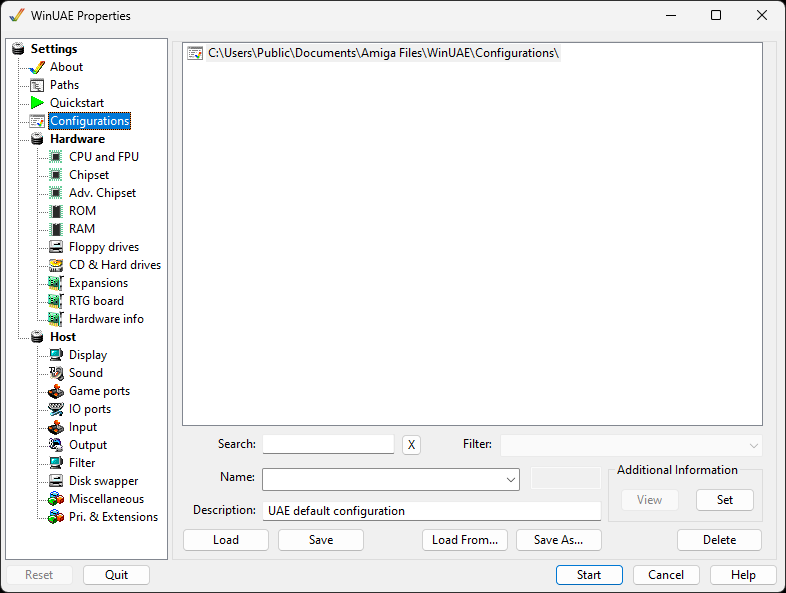
You can load a configuration by selecting it from the list,
perform a Search or use a
Filter and then clicking the
Load button, or by double-clicking a
configuration in the list. You can use the Load
from button to load a configuration from a different
location on the hard disk. Click Start to
begin the emulation.
Additionally, you can double-click any .uae config-file from
the Windows Explorer, or from a Desktop Shortcut. The
configuration will load, and if the Show GUI
on Startup setting is disabled, WinUAE will immediately
launch into emulation-mode, bypassing the GUI completely.
If you have a lot of configurations, you can use the Search or
Filter boxes to list the required configurations you want to
use.
To save your changes for a configuration which you've loaded,
simply press the Save button. If you've made
changes to a configuration and want to save it under a
different name, simply change the Name field on this page of
the GUI or select Save As. You can also adjust
the Description field.
To remove an old configuration, select a configuration from the
list, and click the Delete button.