Expansions
This will change settings for expansion cards such as RTG, Network, and SCSI cards.
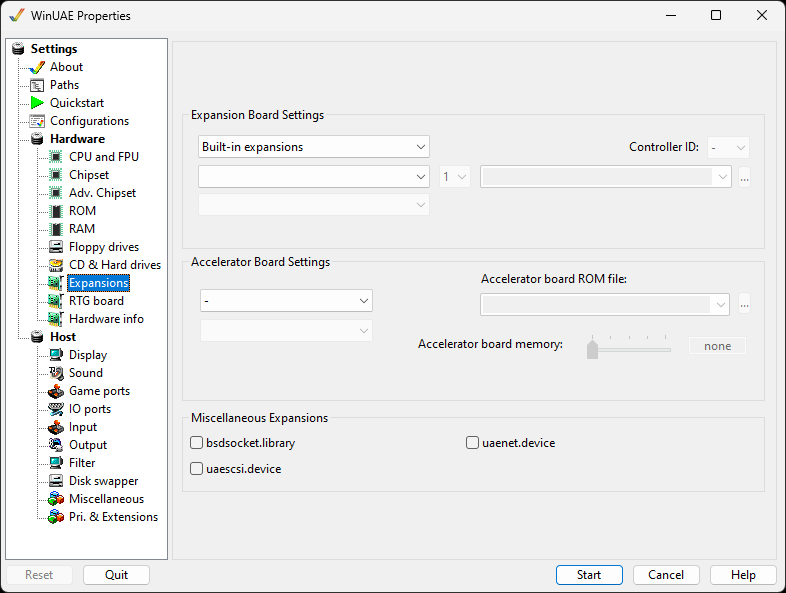
Expansion Board Settings
Controller or Bridgeboard selection for
Built-in expansions, SCSI, IDE, SASI and Custom controllers,
PCI and x86 Bridgeboards, Graphics boards, Sound cards,
Network adapters or Disk controllers.
Controller model selection for the make and
model of required controller or bridgeboard. Click
Enabled to enable/disable this controller
selection.
Controller series selection for controllers in
the same series.
SCSI Controller ID: Specify a SCSI controller
ID (0-7).
SCSI/IDE/Boot ROM file. allows you to specify an
expansion card and ROM file and model. Up to 4 separate files
can be selected.
Autoboot disabled The Amiga will not start from the
drives of this board on its own.
PCMCIA inserted Whether the PCMCIA card is plugged
in.
24-bit DMA Limits the controller to the memory a real
Zorro II card could reach.
These three are only available for boards that support
them.
Accelerator Board Settings
Accelerator make selection. Select ACT,
Commodore, DCE, DKB, GVP, Kupke, MacroSystem, M-Tec, Phase 5,
RCS Management, Interactive Video Systems, Progressive
Peripherals & Software, Computer System Associates, Hardital
or Harms.
Accelerator board selection. Select the actual
accelerator board.
Accelerator board ROM file. Select the
Blizzard PPC or Cyberstorm accelerator board ROMs.
Accelerator board memory amount of memory for
the board (0-256 MB). This is kept in sync with the
matching memory size on the RAM page.
Miscellaneous Expansions
bsdsocket.library Allows the Amiga to use
the network connection of the host.
uaescsi.device Adds support for IDE/SCSI
CD-ROM drives on the Amiga side.
uaenet.device Enable SANA2 compatible network
devices. It works out of the box by sharing the internet
connection of the PC. To give the Amiga direct access to
your network adapter, install Npcap.